🔳 CosterGraphics/Systems/OutlineSystem
🏒 Render Passes
⬜ Outline Color Mask Pass
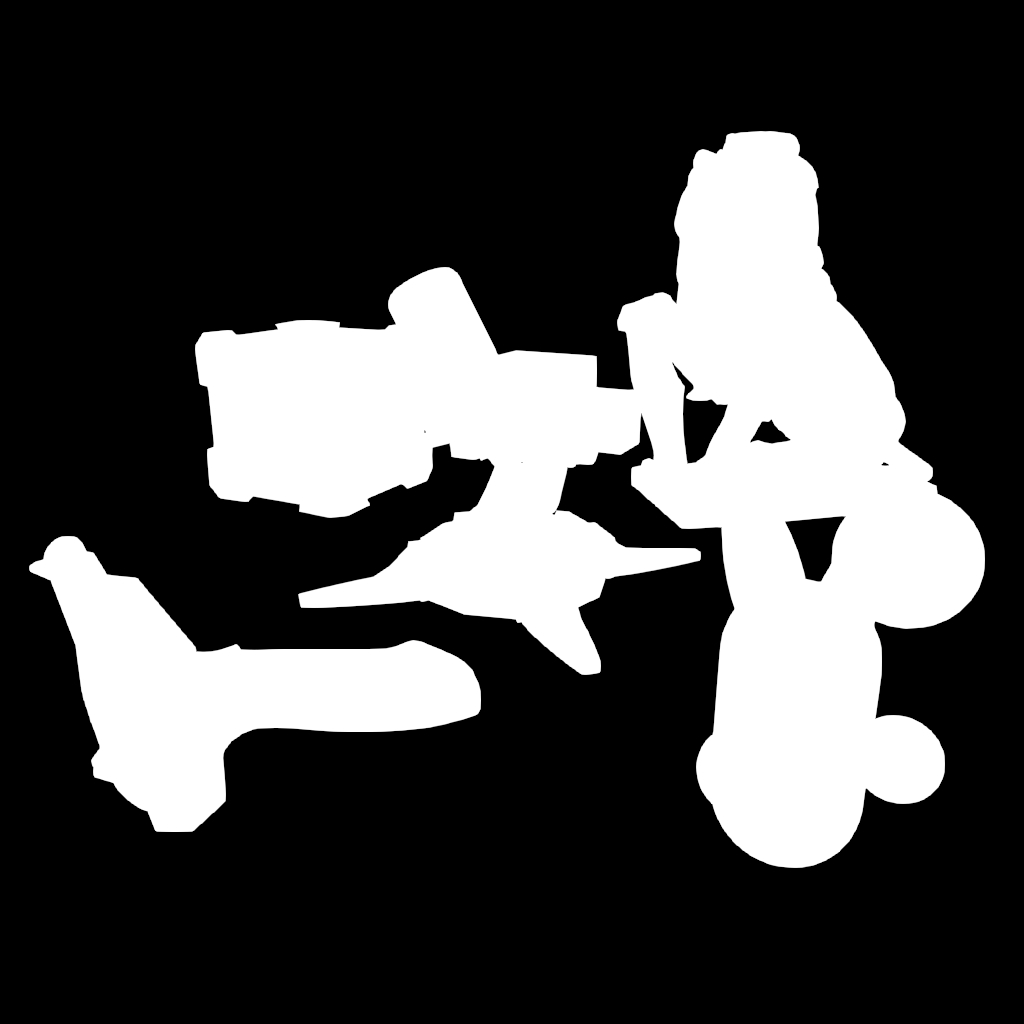
OutlineColorMaskPass pass
📖 Description
Renders basic silhouettes of 🔳Outline3D objects into a binary texture (white on black). This acts as the foundation for overlay masks, silhouette outlines and outline detection, like tracing the edges of objects in the scene and knowing exactly where 🔳Outline3D geometry exists.
🔧 How It Works
- Inputs:
🔳Outline3Dobjects' meshes/renderers. - Process: Draws the
🔳Outline3Dobjects with an Unlit shader with lighting, shadows and SSAO disabled for clean silhouettes. Applies small depth bias to avoid ULP(Units in the last place)/z-fighting artifacts. - Outputs:
Texture2D_OutlineColorTextureMask(R8_UNorm format). - Code Example:
// From OutlineColorMaskPass.RecordRenderGraph
TextureDesc textureDesc = resourceData.activeColorTexture.GetDescriptor(renderGraph);
    textureDesc.name        = "Texture2D_OutlineColorTextureMask";
    textureDesc.colorFormat = GraphicsFormat.R8_UNorm;
TextureHandle outlineColorTextureMask = renderGraph.CreateTexture(textureDesc);
builder.SetRenderAttachment(outlineColorTextureMask, 0, AccessFlags.Write);
🔗 Requirements
- Material:
outlineColorMaskMaterial - Shader:
Simple-Msk-ColorTextureMask-Default.shadergraph(Unlit Shader Graph). - URP Settings: None special.
- Dependencies: Runs early in the pipeline.
⭐ Tier Usage
- Available in: ⭐Simple, ⭐⭐Basic, ⭐⭐⭐Advanced, ⭐⭐⭐⭐Pro.
- Conditional: Runs if
🖼️CompositeShader has_OutlineColorTextureMaskTexture2D property.
🔫 Troubleshooting
- Issue: Mask has gaps/z-fighting issues with
🔳Outline3Dgeometry.- Fix: Increase depth bias in shader (
cmd.SetGlobalDepthBias(-0.2f, -0.2f)).
- Fix: Increase depth bias in shader (
🏎️ Performance
During the OutlineColorMaskPass, all 🔳Outline3D geometry is rendered/drawn off-screen into the silhouette Texture2D_OutlineColorTextureMask render texture, separately from the the geometry in the scene.
This can be either a cheap or costly operation depending on how many 🔳Outline3D objects there are in the scene, but since they're only rendered with a very simple Unlit shader, the costs are relatively low compared to the cost of rendering them normally with fully Lit and depth-tested shaders that cast and receive shadows etcetera.
Keep in mind that outlines that are generated from the 🔳Outline3D geometry masks (which are most of the outlines of the system) are mostly meant for a limited/finite number of objects.
The 🎦Full-Screen 🖼️Composite shaders of the system don't use the 🔳Outline3D geometry masks but use the available full-screen textures instead (the Camera Color/Opaque, Camera Normals and Scene Depth) to generate edge-detected outlines for all of the objects in the scene regardless of if they have the 🔳Outline3D component or not. So for a full-scene outline style it is recommend to use the 🎦Full-Screen 🖼️Composite shaders only, or to use a combination of both, for instance it is possible with this system to use a 🎦Full-Screen effect 🖼️Composite shader for everything in the game world and another 🔳Outline3D 🖼️Composite shader for highlighting/stylizing only the player characters, NPCs or other GameObjects like pick-ups or selectables.